1 On 1 Soccer
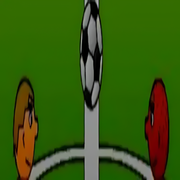
1 On 1 Soccer is a fast head-to-head football game built around timing your jumps, blocking attacks, and finding space for clean goals.
1 On 1 Soccer
How to play 1 On 1 Soccer
- Press Start Game above to load 1 On 1 Soccer inside the browser player.
- Click the game screen once so Arrow Keys / WASD inputs register cleanly.
- Follow the on-screen menu to begin a single-player / multiplayer sports session.
- Open the Controls button any time to check inputs, or press Fullscreen for a larger view.
What 1 On 1 Soccer is and how it plays
1 On 1 Soccer is a free sports browser game designed around head-to-head timing, shot placement, and quick defensive recovery. 1 On 1 Soccer is a fast head-to-head football game built around timing your jumps, blocking attacks, and finding space for clean goals.
Each session rewards reading rebounds, spacing, and timing power or movement inputs. Because 1 On 1 Soccer runs directly in your browser, you can open a quick round between tasks or replay stages until you master the layout.
- Genre focus: Sports gameplay built for direct browser play.
- Play mode: Single-player / Multiplayer support inside one lightweight page.
- Instant access: loads on demand when you press Start Game with no download.
- Player tools: built-in controls reference, quick reload, and fullscreen view.
1 On 1 Soccer controls and browser setup
1 On 1 Soccer uses Arrow Keys / WASD on desktop browsers and supports touch input when the embedded version provides on-screen buttons. Review the table below before starting your first round.
| Platform | Input | Action |
|---|---|---|
| Desktop | Arrow Keys / WASD | Move players, aim, and react during active plays. |
| Desktop | Space / Action Keys | Shoot, pass, swing, or use the main sports action. |
| Mobile | Tap Buttons | Use touch controls when the browser version supports them. |
| Mobile | Landscape Mode | Rotate for a wider view during fast matches. |
| Toolbar | Fullscreen | Expand 1 On 1 Soccer to fill your screen. |
| Toolbar | Reload | Restart 1 On 1 Soccer from a fresh browser session. |
Tips for playing 1 On 1 Soccer online
Consistent input and a clear view make 1 On 1 Soccer easier to learn on your first few attempts. Apply these four habits while playing in your browser.
- Hold a solid defensive position first, then counter when an opening appears.
- Practice timing your shots or jumps on the opening plays to gauge physics speed.
- Watch the angle of the ball or opponent rather than reacting only at the last moment.
- Use landscape or fullscreen mode for a wider view of the field or court.
1 On 1 Soccer FAQs
Yes. You can play 1 On 1 Soccer online for free directly in your web browser without creating an account or downloading files.
1 On 1 Soccer primarily uses Arrow Keys / WASD on desktop computers. Open the Controls button below the player to view both desktop and mobile guidance.
Yes. 1 On 1 Soccer runs in modern desktop and Chromebook browsers, and touch-compatible versions work on phones and tablets in landscape mode.
Use the Reload button below the player to restart 1 On 1 Soccer cleanly, or press Fullscreen to expand the game frame across your display.